
Binary search
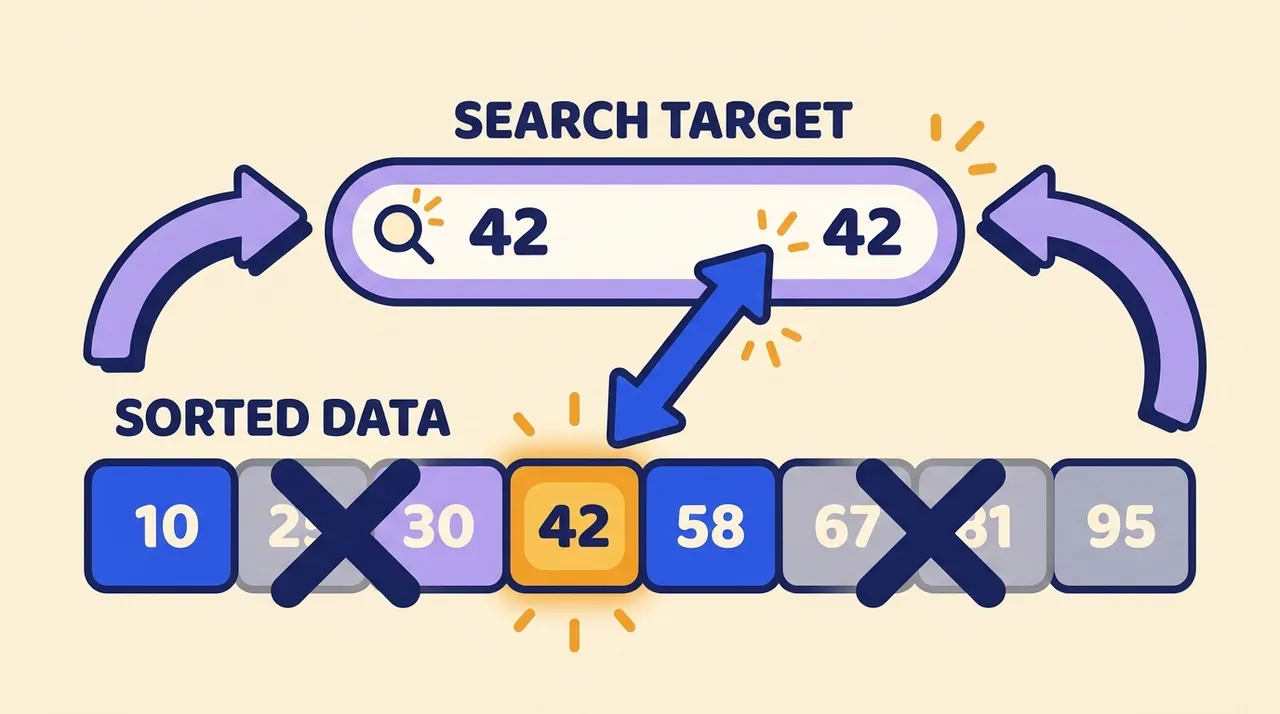
easy 16 minBinary search finds a value, a boundary or an insertion point in sorted data by checking the middle and discarding the half that cannot hold the answer.
Video lesson · Chapter 1 of 6
The guess that rules out a crowd
Classic binary search
1:10Reel
More reels
One idea each, a minute or less.
First and last position
1:12Reel
Search insert position
1:12Reel
Minimum in a rotated array
1:11Reel
Search in a rotated array
1:16Reel
Find a peak element
1:09Reel
Binary search on the answer
1:16Reel
Search a 2D matrix
1:05Reel
Binary search bugs
1:10Reel
When to use binary search
1:10Reel
How it works
Step through the idea, or press Play.
Bound the range. Put left and right around every index that could still hold the answer
Understand it
Start here
What binary search is
Binary search finds a target in a sorted array without looking at most of it. It checks the middle element. If that is not the target, the order of the array says which half the target must be in, and the other half is thrown away. Every comparison removes half of the remaining candidates. It is the number guessing game: for a number from 1 to 100 you guess 50, hear "lower", and half the numbers are gone in one guess.
Bound
leftandrightmark the range that may still hold the answer.Probe
Look at
arr[mid], the middle of that range.Halve
Move
leftorrightpastmid. Half the range is gone.Stop
Found it, or the range is empty and the target is not there.
The picture
Halving: 16 values, found in 3 probes
Search for 23 in the 16 sorted values [2, 5, 8, 12, 16, 23, 38, 45, 56, 72, 91, 95, 100, 112, 120, 150]. Watch the live range shrink:
| Probe | Live range | Size | mid → value | Decision |
|---|---|---|---|---|
| 1 | indexes 0 to 15 | 16 | 7 → 45 | : keep the left half |
| 2 | 0 to 6 | 7 | 3 → 12 | : keep the right half |
| 3 | 4 to 6 | 3 | 5 → 23 | found at index 5 |
| worst case | 16 → 8 → 4 → 2 → 1 | 5 probes: |
The algorithm
Classic search on a closed interval
One loop of classic binary search
def binary_search(arr, target): left, right = 0, len(arr) - 1 while left <= right: mid = left + (right - left) // 2 if arr[mid] == target: return mid # found elif arr[mid] < target: left = mid + 1 # search the right half else: right = mid - 1 # search the left half return -1 # not foundnums = [1, 3, 5, 7, 9, 11, 13]print(binary_search(nums, 7)) # 3: the very first midprint(binary_search(nums, 11)) # 5: two probesprint(binary_search(nums, 6)) # -1print(binary_search([], 4)) # -1: right = -1, the loop never runsOverflow
The overflow-safe midpoint
The obvious midpoint (left + right) // 2 has a famous bug. In languages with 32-bit integers (Java, C, C++) the sum can exceed the largest int even though both indexes fit, and it wraps to a negative number. This bug sat in the JDK's own binary search for about nine years before it was found in 2006.
Same value, no big sum
| Language | Safe midpoint |
|---|---|
| Python | left + (right - left) // 2 (ints never overflow, but NumPy int32 does) |
| Java | left + (right - left) / 2 or (left + right) >>> 1 |
| C / C++ | left + (right - left) / 2 |
| JavaScript | left + ((right - left) >> 1) or Math.floor((left + right) / 2) |
Correctness
Loop invariants
Every correct binary search keeps one promise, its loop invariant, true before each loop. Write the invariant first and the pointer updates follow from it. For the classic search: if the target is in the array at all, it is inside arr[left..right].
Two invariants, two templates
Initialise, maintain, terminate
Off by one
Closed versus half-open intervals
| Template | Start | Loop | Shrink | Returns |
|---|---|---|---|---|
| Exact match | right = len - 1 | left <= right | mid + 1 / mid - 1 | mid or -1 |
| First / last occurrence | right = len - 1 | left <= right | save mid, then mid - 1 or mid + 1 | saved result |
| Search insert | right = len - 1 | left <= right | mid + 1 / mid - 1 | left |
| Lower / upper bound | right = len | left < right | right = mid / left = mid + 1 | left (may be len) |
Do
- Decide closed or half-open before writing a line.
- Use
mid ± 1when mid has been ruled out;right = midwhen mid may be the answer. - Trace a 1-element and a 2-element array by hand.
- Test target below all, above all, missing in the middle, and duplicated.
Don't
- Pair
right = len(arr)withwhile left <= right:arr[len]raises IndexError. - Use
while left < rightwithright = len - 1in the exact-match template: it skips the last candidate. - Set
left = midwith a floor midpoint. - Forget that a bound can return
len(arr)when every value is smaller.
Variants
Boundaries: first, last, lower and upper bound
With duplicates, classic search returns any matching copy. Boundary searches do not stop at a match; they keep shrinking toward one side. On [1, 2, 4, 4, 4, 6, 8]: the first 4 is at index 2, the last at 4, lower_bound(4) = 2 (first value ) and upper_bound(4) = 5 (first value ).
Which variation do I need?
from bisect import bisect_left, bisect_righta = [1, 2, 4, 4, 4, 6, 8]lo, hi = bisect_left(a, 4), bisect_right(a, 4)print(lo, hi, hi - lo) # 2 5 3: three 4s at indexes 2..4print(bisect_left(a, 5)) # 5: where 5 would be insertedprint(bisect_left(a, 9)) # 7: len(a), every value is smaller# first and last occurrence from the boundsfirst = lo if lo < len(a) and a[lo] == 4 else -1last = hi - 1 if first != -1 else -1print(first, last) # 2 4Complexity
Deriving O(log n)
After comparisons at most candidates remain. The search must stop once one candidate is left, so we solve for . This is the definition of a logarithm: how many times you can halve before reaching 1.
How many halvings?
The recurrence
| n | Binary search (worst) | Linear search (worst) | Linear search (average) |
|---|---|---|---|
| 16 | 5 | 16 | about 8 |
| 1,000 | 10 | 1,000 | about 500 |
| 1,000,000 | 20 | 1,000,000 | about 500,000 |
| 1,000,000,000 | 30 | 1,000,000,000 | about 500,000,000 |
left, right and mid.Generalisation
Binary search on the answer space
Binary search needs a monotonic test, not an array. If a yes or no question ok(x) flips from no to yes exactly once as grows, then the smallest with ok(x) is a lower bound you can binary search, over a range of numbers. Typical wording: minimise the maximum, maximise the minimum, smallest capacity, fewest days.
Search on the answer
ok. If ok scans the input in , the total is .def days_needed(weights, cap): days, load = 1, 0 for w in weights: if load + w > cap: days, load = days + 1, 0 load += w return daysdef min_capacity(weights, d): lo, hi = max(weights), sum(weights) while lo < hi: mid = lo + (hi - lo) // 2 if days_needed(weights, mid) <= d: hi = mid # feasible: try smaller else: lo = mid + 1 # infeasible: go bigger return loprint(min_capacity([2, 4, 1, 3], 2)) # 6print(min_capacity([1, 2, 3, 4, 5, 6, 7], 3)) # 11Beyond sorted arrays
Rotated arrays and peaks
Rotated sorted array
[4, 5, 6, 7, 0, 1, 2] is sorted, then rotated. At any mid, one half is still sorted. Check if the target lies inside that sorted half; if not, it is in the other.
Peak element
If
arr[mid] > arr[mid + 1], a peak is at mid or to its left; otherwise it is to the right. The slope tells you which half to keep. Loop whileleft < right.Minimum of a rotated array
Compare
arr[mid]witharr[right]. Bigger means the drop is to the right:left = mid + 1; otherwiseright = mid.Sorted matrix
A matrix sorted row by row, each row starting after the last ended, is one sorted list of cells: index is row , column .
Search in a rotated sorted array
def search_rotated(arr, target): left, right = 0, len(arr) - 1 while left <= right: mid = left + (right - left) // 2 if arr[mid] == target: return mid if arr[left] <= arr[mid]: # left half is sorted if arr[left] <= target < arr[mid]: right = mid - 1 else: left = mid + 1 else: # right half is sorted if arr[mid] < target <= arr[right]: left = mid + 1 else: right = mid - 1 return -1def find_peak(arr): left, right = 0, len(arr) - 1 while left < right: mid = left + (right - left) // 2 if arr[mid] > arr[mid + 1]: right = mid # peak is at mid or to the left else: left = mid + 1 # peak is to the right return leftprint(search_rotated([4, 5, 6, 7, 0, 1, 2], 0)) # 4print(search_rotated([4, 5, 6, 7, 0, 1, 2], 3)) # -1print(search_rotated([6, 7, 1, 2, 3, 4, 5], 6)) # 0print(find_peak([1, 2, 3, 1])) # 2print(find_peak([1, 2, 1, 3, 5, 6, 4])) # 5 (index 1 is also a peak)Pattern spotting
When to reach for it
Use binary search when
- The data is sorted, or can be sorted once and then searched many times.
- You need a value, a boundary, a count or an insertion point.
- A yes or no condition is monotonic: no, no, ..., yes, yes.
- The structure has random access, so
arr[mid]is . - is too slow for the input size or the number of queries.
Skip it when
- The data is unsorted and you search once: sorting costs , a scan .
- It is a linked list: reaching the middle is .
- The data changes constantly: keeping an array sorted costs per insert. Use a balanced tree.
- The array is tiny: a linear scan is simpler and just as fast.
| Binary search | Linear search | |
|---|---|---|
| Time | ||
| Space | ||
| Needs sorted data | Yes | No |
| 1 million values | at most 20 comparisons | about 500,000 on average |
| Works on linked lists | Not efficiently | Yes |
| Best use | Large sorted data, many queries | Small or unsorted data, one query |
Recap
Key takeaways
Key points
- Binary search probes the middle and discards the half that cannot hold the answer: at most comparisons, time, space.
- It needs sorted data or, more generally, a monotonic yes or no test.
- Use
mid = left + (right - left) // 2;(left + right) // 2overflows in fixed-width languages. - Closed :
while left <= right, move tomid ± 1. Half-open :while left < right,right = mid, returnleft. - First or last occurrence: on a match save the index and keep going left or right. Count =
upper_bound - lower_bound. - Search on the answer: binary search a number range with a feasibility check, .
- Every loop must keep its invariant and shrink the range;
left = midwith a floor midpoint is the classic infinite loop.