
Separating disk capacity from I/O latency
medium 6 minFilesystem free space, device service capacity and application latency are distinct measurements.
Video lesson · Chapter 1 of 8
A nearly empty disk with slow requests
Theory
Read or listen first. About 1 min.
What it is
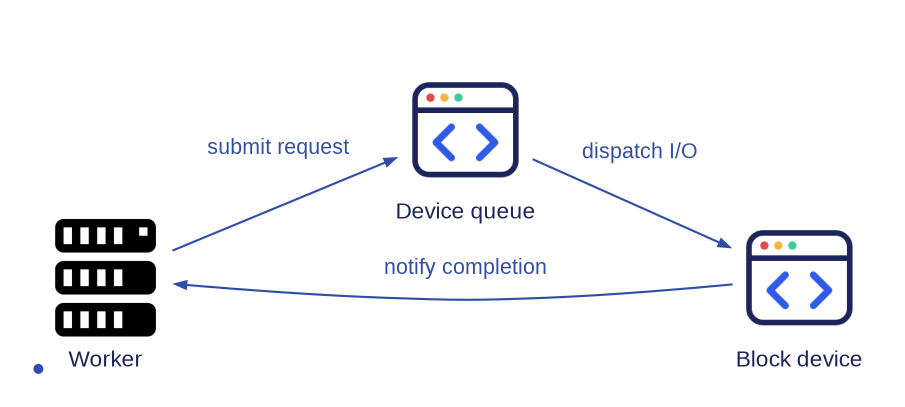
Filesystem free space, device service capacity and application latency are distinct measurements. A full volume can reject an inexpensive allocation. A volume with ample free space can still queue small random operations behind a backup. Device await includes queue and service time, while application time can also include filesystem locks and synchronization.
Why it exists
A dashboard reports 60 percent free capacity during write timeouts. Map the application path through its mount and block device, then sample I/O rates, request sizes and await over the incident interval. Check whether a new backup or compaction job shares that device. Inspect per-process I/O to identify the contributor before throttling it.
If device latency is low, a blocked application can still be waiting for a lease or filesystem lock above that device.
A nearly empty disk with slow requests
Inside this chapter
- Disk Usage with df and du
- Df consults filesystem accounting. Du walks names and counts reachable files. Compare the same mount, units and time before investigating snapshots, reserved space or unlinked files.
- Open Files with lsof
- An open-file inventory connects descriptors with processes, names and inodes. It can explain retained space after rotation and identify a specific process that must reopen a file.
- I/O Statistics with iostat and iotop
- Iostat reports device-level intervals. Iotop-style views help attribute I/O to tasks. Buffered writeback and shared devices can separate the issuing application from the observed writer.
- Block Devices with lsblk
- Lsblk exposes device dependencies such as partitions and mapped volumes. Resolve the mount to its underlying devices so counters are sampled at the relevant layer.
How it works
Step through the idea, or press Play.
Identify the mount. Start from the path used by the failing process.
Understand it
Worked incident
A nearly empty disk with slow requests
| Observation | Mean device await (ms) | Interpretation |
|---|---|---|
| Baseline | 3 | The device completes requests promptly. |
| Incident | 76 | A backup adds enough outstanding I/O to raise await. |
| After intervention | 6 | Throttle the competing job. Verify both application completion time and the backup’s completion window. |
Choose the next investigation
Summary
The whole topic in one minute.
Free bytes describe capacity. Timed requests and outstanding work identify contention.
If device latency is low, a blocked application can still be waiting for a lease or filesystem lock above that device.